Schemity - The ERD Tool
Built for Software Engineers.

Design your data model visually, create relationships by drag and drop, and generate SQL migrations - in a 9 MB native app that works offline. No DBA knowledge required.

What Makes Schemity Special

Opinionated defaults, drag-and-drop relationships, Git-native workflow, and live database sync. All in a lightweight native app.

Relation as First-Class Citizen

Create foreign keys by dragging fields between entities - 1:N, 1:1, or N:N with auto-generated junction tables. Color-coded connection lines and smart routing keep complex diagrams readable.

Git-Native, Not Cloud-Locked

Your ERD lives as a JSON file in your repo. Commit it, review it in PRs, let your team pull it. No cloud account, no shared workspace to manage.

Built for How Software Engineers Actually Work

Opinionated defaults - snake_case, auto FK naming, auto junction table. Vim-style shortcuts, multiple tabs, copy/paste between diagrams, and undo/redo make it feel like a code editor, not a drawing tool.

Migration Generation That Just Works

Compares your ERD to the live database and generates the exact SQL diff. Reverse-engineer an existing database into an ERD, evolve the design, then apply migrations directly.

Constraints Without the Guesswork

Unique constraints, check constraints, indexes, and not-null rules are part of your visual design - not afterthoughts buried in migration files. Smart color indicators make multi-column constraints immediately visible.

Local-First, Data Transparent

Plain JSON files in ~/schemity/ - readable, backupable, portable. You own your data completely. No cloud dependency.

9 MB. No Electron. No JVM.

Built with Native WebView and Rust. Fast to download, instant to launch. Works offline, behind VPN, air-gapped. macOS, Windows, and Linux.

Database Support

Connect to MySQL, PostgreSQL, or SQL Server through direct or SSH connections - or work in ERD-only mode when you just need to think through the schema.

Dark and Light Theme

Switch between dark and light themes to match your preference and reduce eye strain during long design sessions.

Visual Modeling That Stays Out of Your Way

Smart defaults, drag-and-drop relationships, and a visual editor built for software engineers - so you can focus on your data model, not the tool.

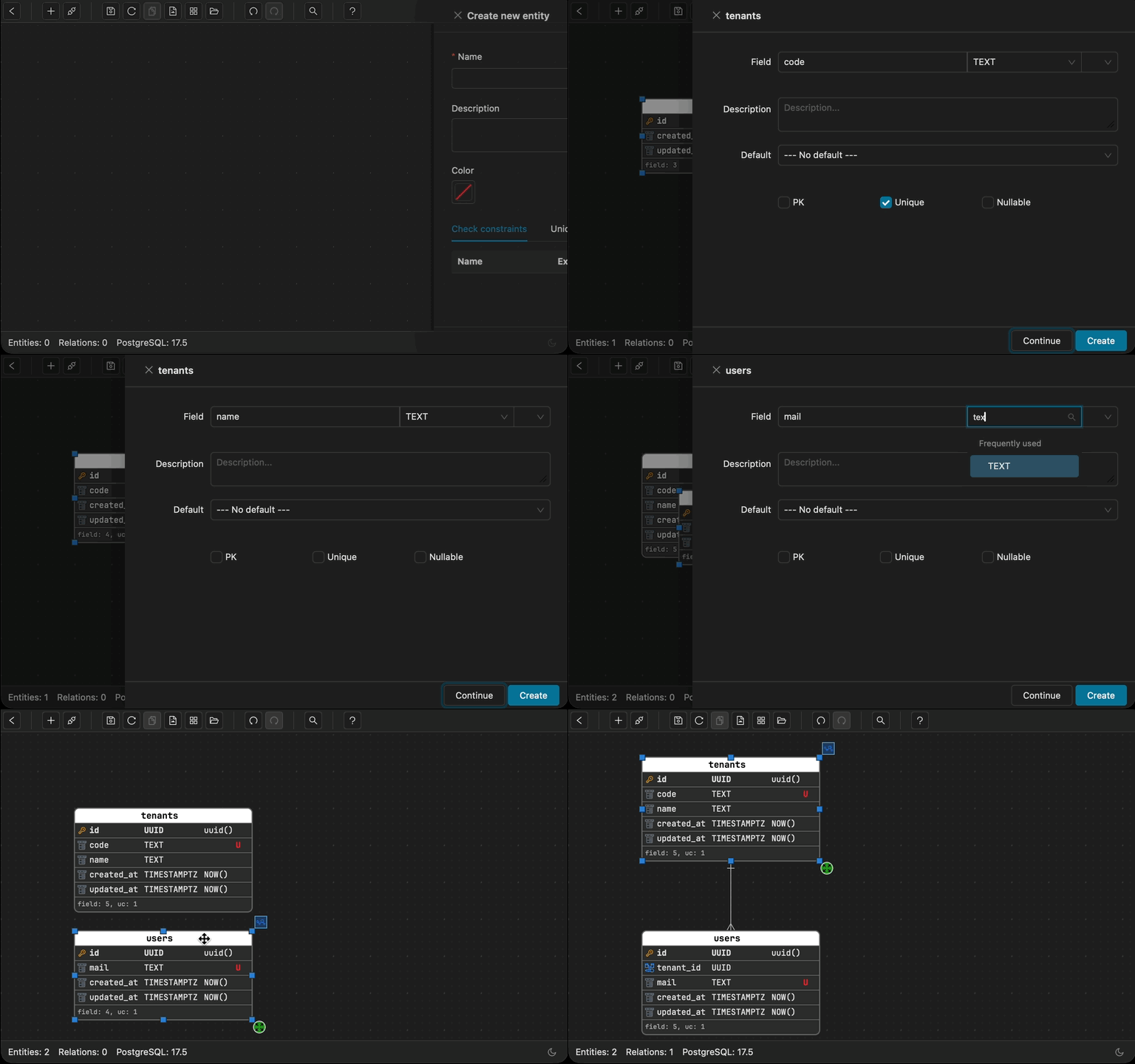
Rapid Prototyping demo

Rapid Prototyping

Sketch your schema in seconds. Go from concept to concrete entities before the idea fades.

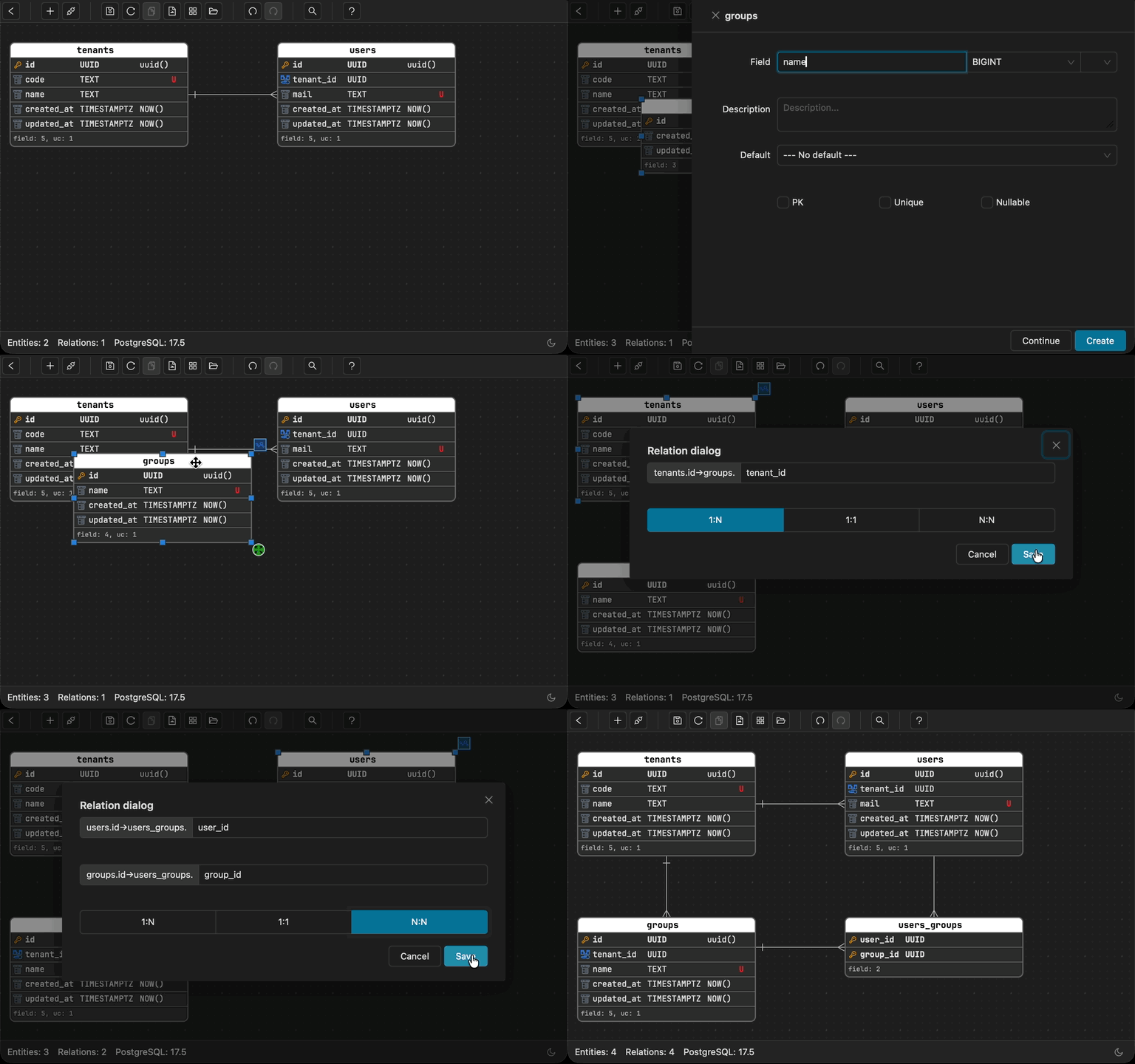
Smart Relationships demo

Smart Relationships

Create 1:N, 1:1, or N:N relationships with simple drag-and-drop. Auto-generated junction tables, auto FK naming - no manual wiring needed.

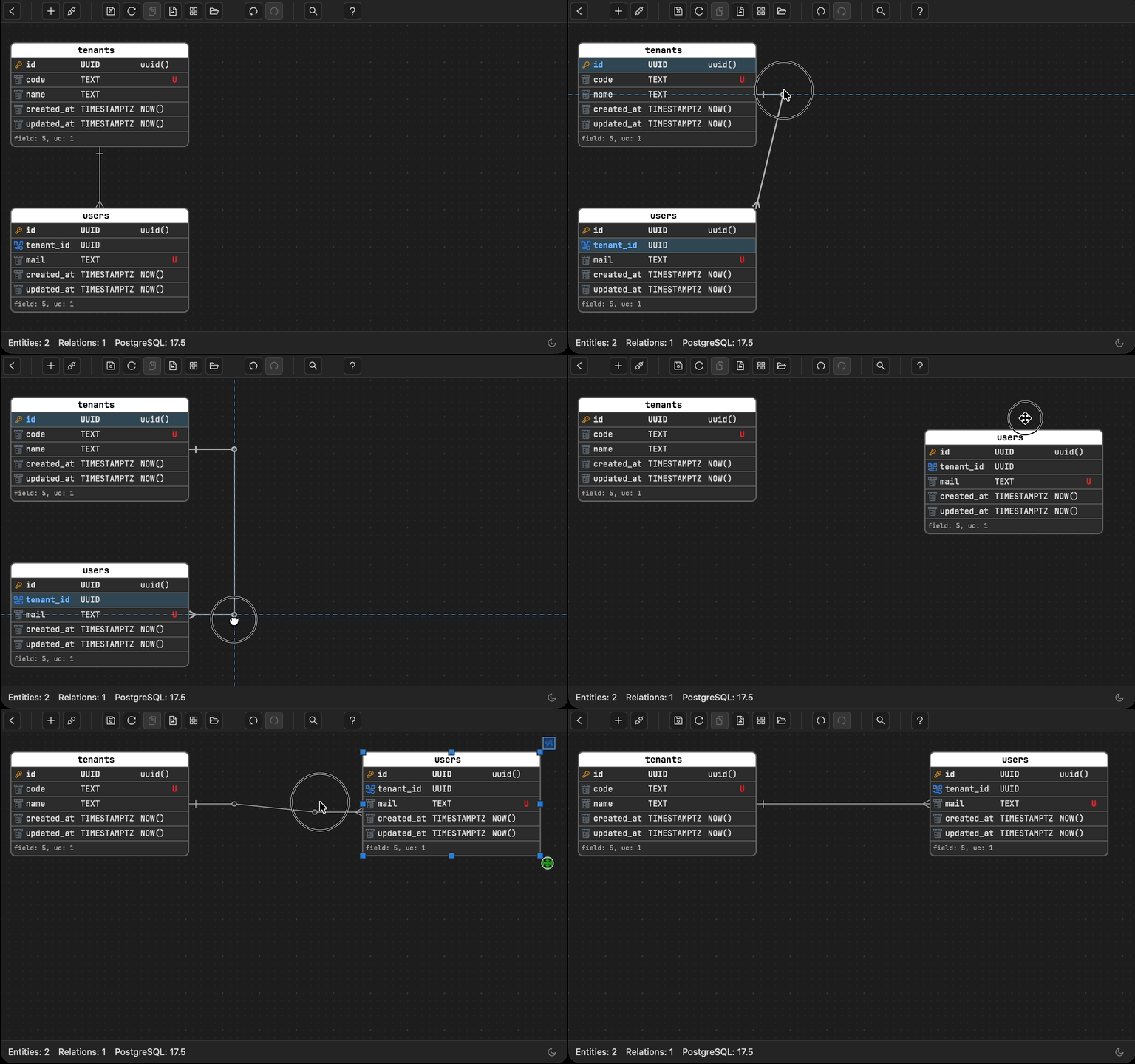
Flexible Relationship Lines demo

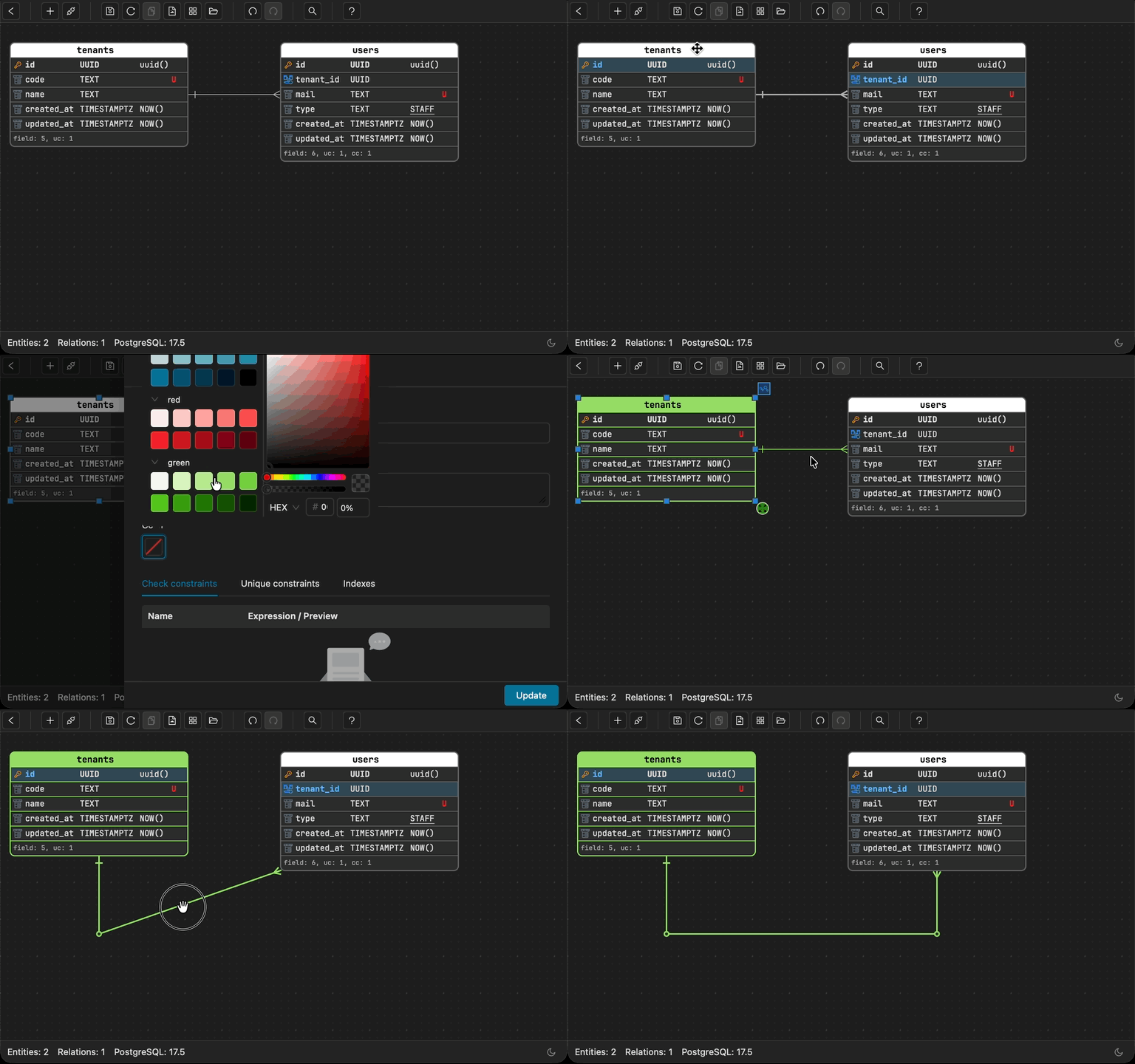
Flexible Relationship Lines

Arrange your diagram the way you think about it, not the way the layout forces you. Lines adapt and reroute automatically. Add custom waypoints for full control.

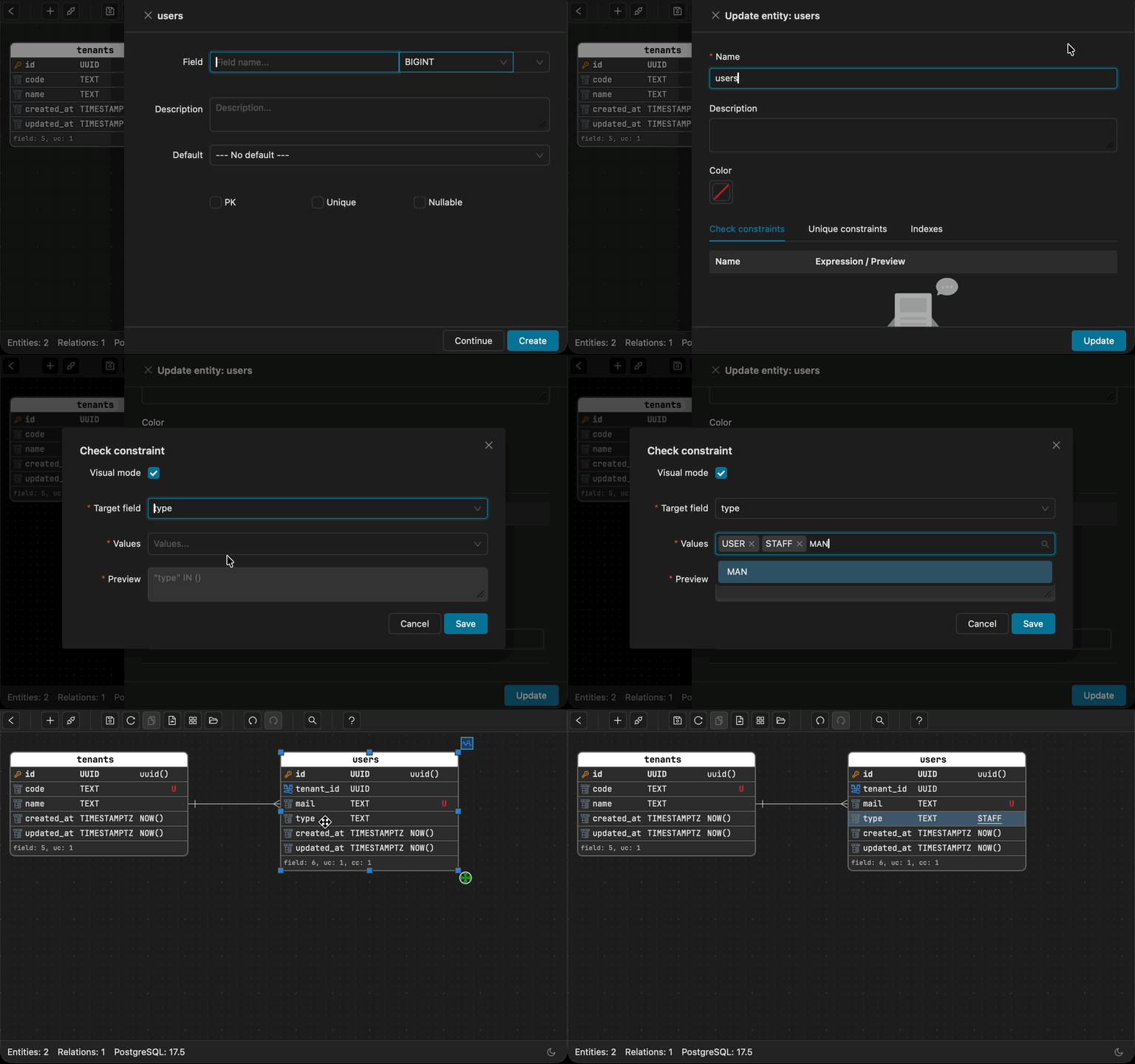
Check Constraints as Documentation demo

Check Constraints as Documentation

Encode business rules as constraints. They become both enforceable logic and living documentation - referenceable directly in default values.

Custom Entity Colors demo

Custom Entity Colors

Group related entities visually. Color-code entity groups and their relationship lines for instant clarity on large diagrams.

Clear Unique Together demo

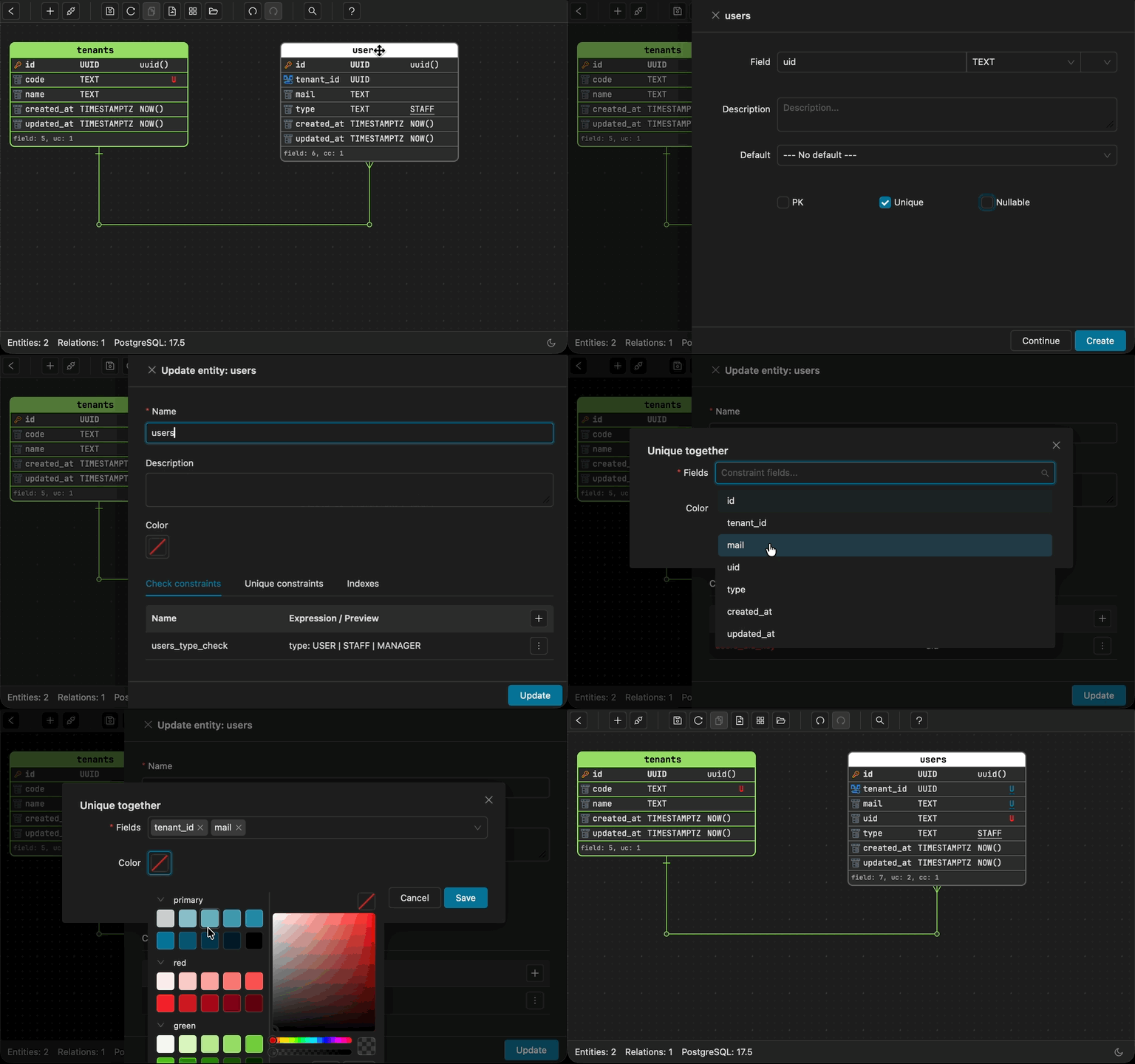
Clear Unique Together

Instantly distinguish between single-field unique constraints and composite unique together groups at a glance.

Safe Migration Workflow demo

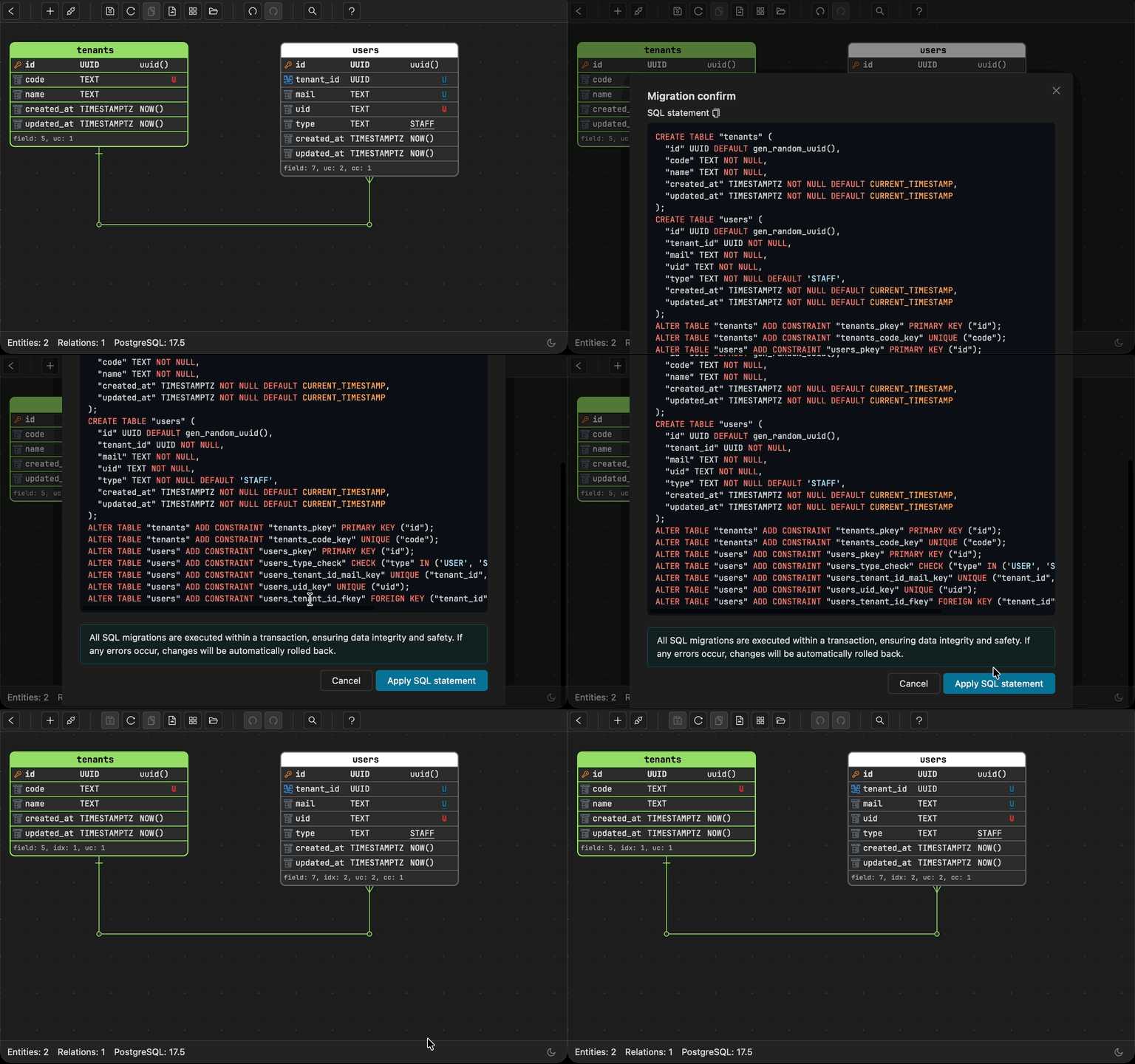
Safe Migration Workflow

Every schema change requires explicit migration confirmation - no accidental alterations to your database. Review the exact SQL diff before applying.

Multiple Tabs demo

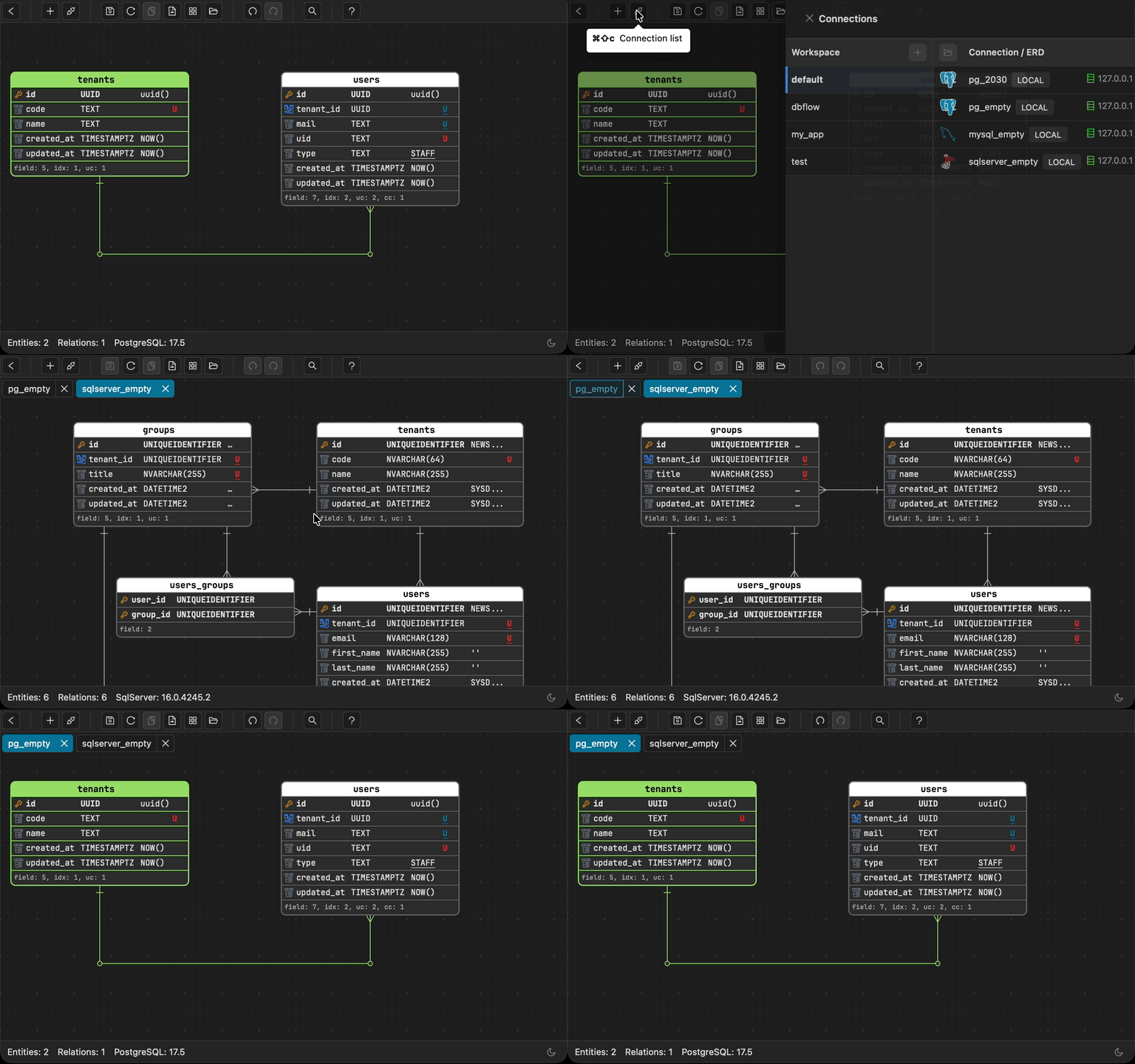
Multiple Tabs

Work across multiple tabs simultaneously with quick number-key navigation to stay focused and organized.

Multiple Schemas demo

Multiple Schemas (PostgreSQL)

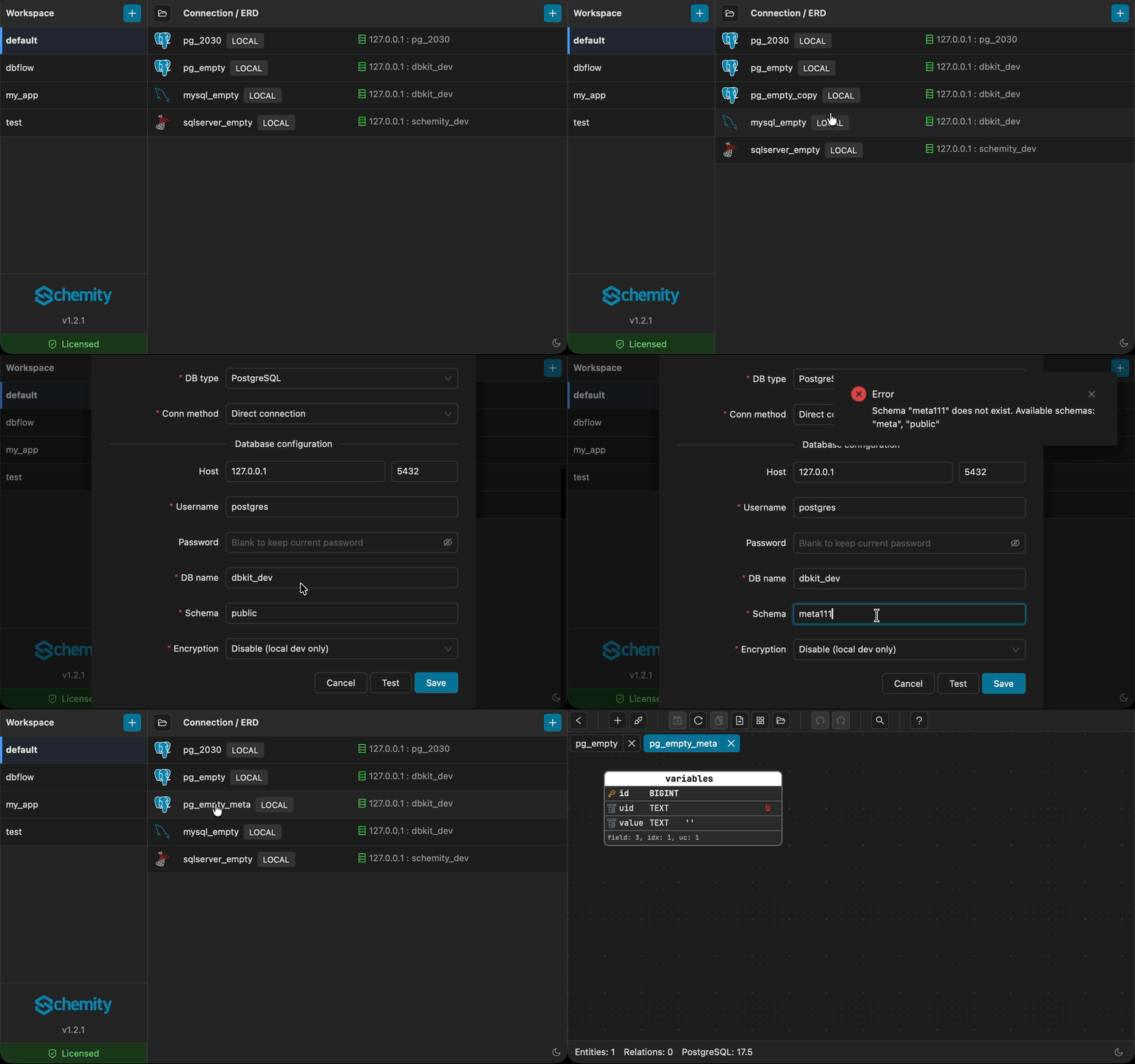
Model across PostgreSQL schemas - not just the public schema. Reflect your actual database structure in the ERD.

Everything Under the Hood

A complete breakdown of what Schemity can do for you, by category.

Connection & Database Support

  • MySQL, PostgreSQL, and SQL Server.
  • Direct and SSH connections.
  • ERD-only mode for pure designing.
  • Manage connections by workspace.
  • Sort workspaces and connections by drag and drop.
  • Workspace separation for isolating ERDs per project.
  • Easy backup and restore - workspace is a folder, ERD is a JSON file.
  • macOS, Windows, and Linux (.deb and AppImage).

ERD Diagram Design

  • Drag-and-drop diagram designing.
  • Generate ERD from existing database.
  • Export diagram to image file.
  • Auto resize entity to fit fields.
  • Snap to guide from edges and center of entities.
  • Dark mode and light mode.

Field Management

  • Reorder fields by drag and drop.
  • Set unique, not null, and default values.
  • Extract default values from check constraints.
  • Smart color display for unique/unique together fields.
  • Auto position new fields above created_at/updated_at.
  • Auto position new foreign keys below existing ones.

Relationships & Foreign Keys

  • Create foreign keys by drag and drop - 1:N, 1:1, and N:N with junction table.
  • Self-referencing foreign key support.
  • Color-coded entities with matching relationship lines.
  • Smart connection lines to avoid overlapping.
  • Custom waypoints for full control over line routing.
  • Double-click to remove waypoints or reshape lines.
  • Click to highlight relationship lines and foreign keys.

Database Schema & Migrations

  • Generate SQL migration from ERD changes.
  • Apply migration directly to database.
  • Manage check constraints, unique together constraints, and indexes.

Productivity

  • Entity templates to pre-define fields for new entities.
  • Quick search entities by name.
  • Quick reference hotkeys.
  • Legend boxes for notes and groups with custom colors.
  • Attach/detach legends to drag with entities.
  • Escape path from field to entity to legend.
  • Move entities in 1px or 20px steps with modifier keys.
  • Multiple tabs to work on multiple diagrams.
  • Copy/paste entities and legends between diagrams.
  • Undo/redo actions.
  • Create fields continuously without closing dialog.

Keyboard Shortcuts & Navigation

  • Hotkeys for every action - delete, undo, redo, copy, paste, save.
  • Vim-style navigation with h/j/k/l keys.
  • Navigate highlighted fields with up/down or k/j keys.
  • Switch tabs with Cmd/Ctrl + number (1-9).
  • Close active tab with Cmd/Ctrl + W.

Auto Update & Licensing

  • Auto update with user-controlled apply timing.
  • Clean release notes for each version.
  • Casual license check - no annoying popups or blocking.
  • Free for education with easy verification.
  • 2-week free trial for commercial use.

From Visual Design to Running Database

Design your schema visually, sync with your live database, generate the SQL diff, and commit alongside your code.

1

Design Your Schema

Create entities and relationships visually with drag and drop. Opinionated defaults handle snake_case naming, auto FK, and junction tables. Start from scratch or reverse-engineer a live database.

2

Generate SQL Diff

Schemity compares your ERD to the live database and generates the exact SQL migration to close the gap - nothing more, nothing less.

3

Commit & Collaborate

Your ERD lives as plain JSON files alongside your code. Commit, push, and let teammates pull - Git handles the rest.

Your Data Stays Yours

Schemity is designed to collect as little as possible. What we don't store, we don't have to protect.

No Personal Data Stored

We only store an auto-generated device ID and your country - for license management and regional support. No name, no email, no usage tracking. Nothing that identifies you.

Payments Handled by LemonSqueezy

All payment processing and billing are managed by LemonSqueezy. Schemity never sees or stores your payment information.

SOC 2 and ISO 27001 Ready

Because Schemity stores almost nothing, it largely satisfies SOC 2 and ISO 27001 requirements by design. Your ERD files live locally in your repo - not on our servers.

Simple, Transparent Pricing

Start for free, upgrade when you're ready. No subscription required.

Updates

$69 / year

Stay on the latest.

  • All features unlocked.
  • 1 more year of updates.
  • Security patches always free.
  • Requires an existing license.
Buy Now

Trial

Free

Full access, no credit card needed.

  • All features unlocked.
  • All updates included.
  • 2-week full trial period.
  • Usable after trial - security patches only, gentle reminder to upgrade.
Try Now

Education

Free one-time

Free for students and educators.

  • All features unlocked.
  • 1 year of updates included.
  • Security patches always free.
  • Use forever after updates expire.
Request with .edu Email

Native on Every Platform

Experience seamless performance and native feel across all major operating systems.

Model Your Database Comfortably.

Visual database design with drag-and-drop relationships, Git-native workflow, and SQL migration generation. Built for every software engineer who touches a database. Download Schemity and get started in seconds.