You exported a PNG. You pasted it into Confluence. Six months later, three tables have been renamed and two new ones added. The diagram is a lie.
This is the default lifecycle of every ERD that lives outside your codebase. The database moves on. The diagram doesn’t. Eventually someone stops updating it, and it becomes worse than having no diagram at all - because now it actively misleads.
Schemity takes a different approach: your ERD is a plain JSON file that lives in a Git repository, updated deliberately as the schema evolves.
How it works
Schemity stores every connection as a plain JSON file - no proprietary format, no binary blobs, no cloud dependency. A workspace is just a folder of those files, and Schemity’s JSON storage means you can read, diff, and version control a database diagram in git like any other source file.
Older versions kept everything under ~/schemity/. That is still the default location, but it is no longer a constraint: Schemity can import any folder, anywhere on your machine, as a workspace. That one capability changes the whole story. Instead of spinning up a separate repository for the ERD, you point Schemity at a folder that already lives inside your project repo - so the diagram is versioned right alongside the code it describes.
my-app/                       # your existing project repository
  src/
  migrations/
  docs/
    erd/                      # import this folder as a Schemity workspace
      meta.json
      production.json         # named after your connection
The meta.json file stores UI ordering only. The connection files contain the actual schema data: tables, fields, relations, and layout positions. Because these are plain files in a folder you already track, the ERD travels with the repo automatically - no second remote to clone, no ~/schemity-bound copy to keep in sync.
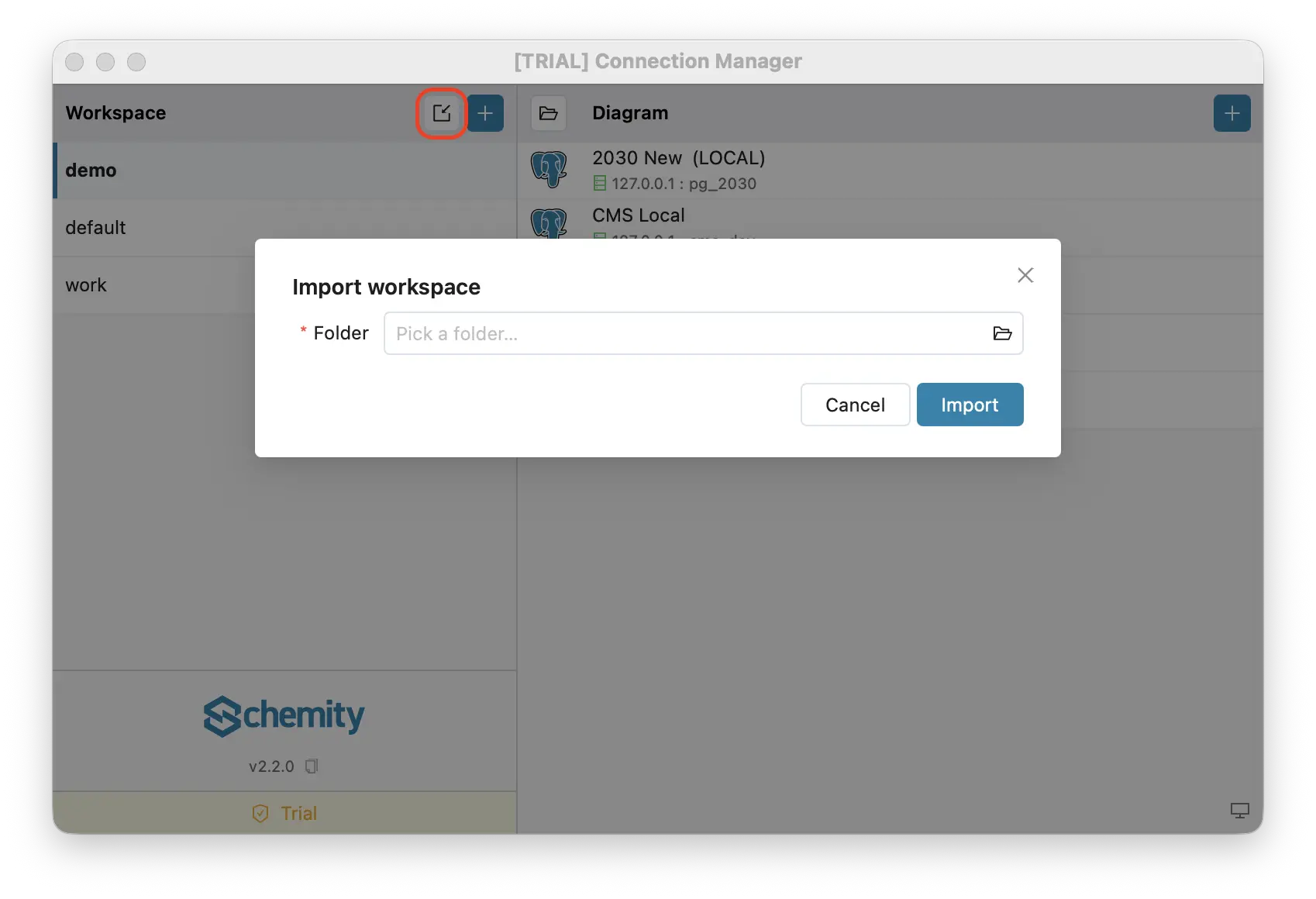
To wire it up, open the Connection Manager and click Import workspace, then pick the folder inside your repo (for example docs/erd). If the folder is empty, Schemity initializes it for you, so importing an empty folder doubles as “create a new workspace inside my repository”.
This is what makes Schemity a genuinely Git-native ERD tool: the diagram is not exported to git, it lives in git.
The workflow
Here’s what this looks like in practice, using a Django project with years of migrations and no existing schema diagram. Django here - but the same story applies to any project with accumulated schema history: Rails, Laravel, or anything else that outlived its original team.
Bob: design and commit
Connect to the local database and arrange the diagram. Schemity reads the live schema and renders all tables and relations on the canvas. You spend time arranging entities into logical groups - user domain here, billing domain there - adjusting relation routing, adding color-coded legends for bounded contexts. The diagram starts to mean something.
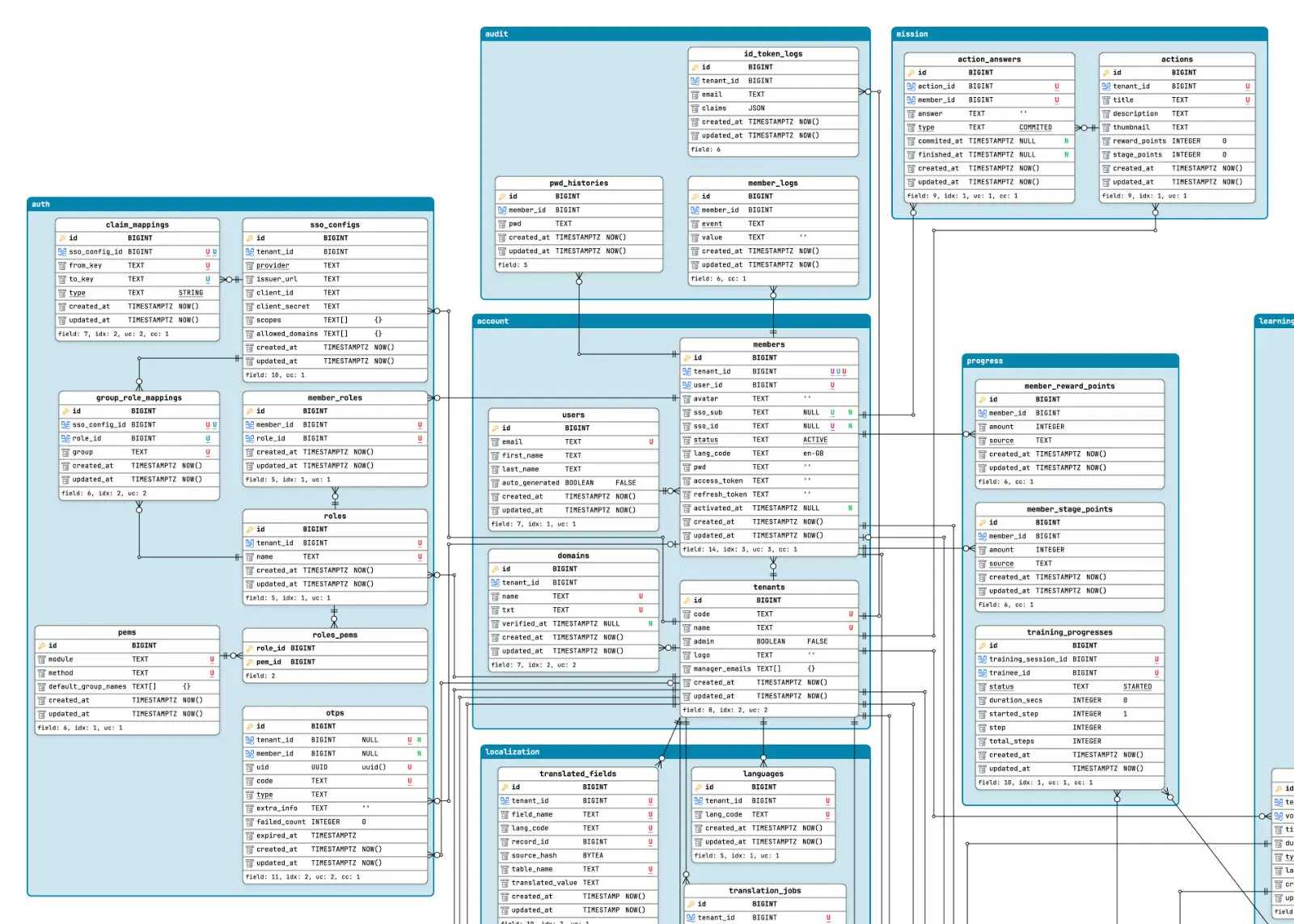
Commit the ERD folder with the rest of the repo. There is no separate repository to set up. The docs/erd folder is already part of the project, so Bob just commits it like any other change.
cd my-app
git add docs/erd
git commit -m "Add ERD - document current schema"
git push
The ERD now ships with every clone of the codebase, and git log carries the history of how the schema and its layout evolved.
Alice: import once and open read-only
Alice already has the repository - it is the app repo everyone works in. After a normal git pull, the docs/erd folder is on disk. They import it as a workspace one time, then right-click the connection and choose “Open read-only”. Schemity opens the full ERD directly - complete schema, full layout, zero credentials needed. You share the map, not the keys.
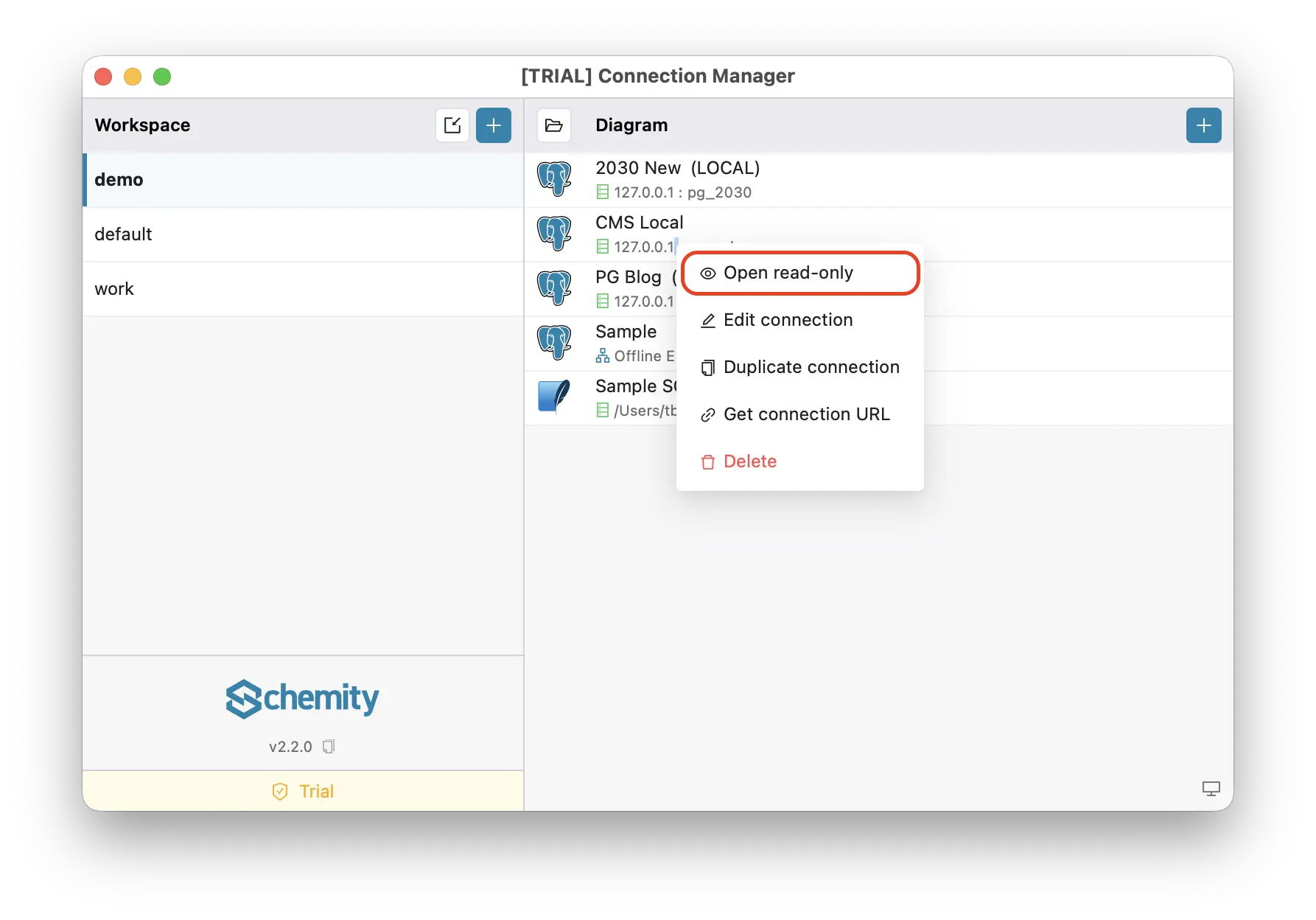
Done. No database, no VPN, no credentials, no second repository to clone. Just open Schemity, point it at the folder once, and view the diagram instantly.
When Bob updates the schema
Bob connects to the live database, adjusts the layout, commits, and pushes - in the same repo, in the same flow as a code change.
cd my-app
git add docs/erd
git commit -m "Update ERD - add subscription and invoice tables"
git push
Alice runs git pull, then right-clicks → “Open read-only” again. The updated ERD is visible instantly. No email attachments. No stale Confluence pages. No “which version is current?” - the schema diagram is just one more thing version controlled in git, reviewed in the same pull request as the migration that changed it.
Not just a diagram - a full schema view
This is where read-only mode beats any exported image.
A PNG shows you table names and maybe column names. Schemity’s read-only mode is fully interactive - click any entity to inspect field types, nullable flags, default values, indexes, unique constraints, and check constraints. Everything you saw when connected to the live database is right there.
New engineers get the full picture, not a flattened screenshot of it. When someone asks “does this field have an index?” or “what’s the check constraint on status?” - the answer is one click away, not buried in a migration file.
Why this matters for long-lived projects
Django projects with mature migration histories are exactly where this shines. The schema has real depth - tables accumulated over years - but the team navigating it has changed. Original authors have left. New engineers join and spend weeks reverse-engineering relationships that should have been documented from the start.
The ERD in Git becomes the map. Not a static image that drifts, but a living document that the team actively maintains. Updating it is a deliberate act - arrange the new entities, commit. That deliberateness is the point: it forces you to think about how new tables fit into the existing structure, not just that they exist.
The history is in git log. The context is in the commit messages. The diagram shows not just the current state, but the care with which each domain was organized.
What about SaaS ERD tools?
Some online ERD platforms offer collaboration natively - design a diagram, share a link, done. The more sophisticated ones connect directly to your database, read the live schema, and let you arrange and share from there.
It sounds convenient. But there are two questions worth asking before you hand over that connection string.
Are you comfortable with your schema leaving your network? Table names, column names, and relations reveal how your business works - your pricing model, your user structure, your compliance boundaries. When you connect a SaaS tool to your database, that information flows through someone else’s infrastructure. Most platforms handle it responsibly, but the decision should be deliberate.
How do you even connect? Most engineers work against a local database - running on their laptop, in Docker, behind no public IP. An online SaaS tool simply cannot reach it without manual tunneling, which is cumbersome to set up and maintain. Even self-hosted alternatives like chartdb.io require you to install npm or Docker locally just to run the tool - not exactly friendly for non-technical team members who just want to see the schema.
For staging and production databases, the problem is worse. They don’t have public IPs either. They’re typically only reachable from within your infrastructure. To let a SaaS tool in, you have to whitelist their IP range - a range shared across all their customers, one that changes every time they add capacity. You’re updating firewall rules for infrastructure you don’t control.
Schemity sidesteps all of this. As an offline desktop ERD tool, you connect to your local database directly - no tunneling, no firewall changes, no npm install. The schema never leaves your machine. No IP whitelisting, no vendor trust decisions, no security review required. It is an ERD tool approved by IT because there is nothing to audit.
The lightweight part matters too
This workflow only works if the tool is frictionless enough that people actually use it. If opening the ERD requires a license server, a cloud login, or a 500 MB download, nobody will bother keeping it up to date.
Schemity is a lightweight ERD tool. Installs in seconds. Works completely offline - a local ERD tool with no cloud dependency. No account required. A new team member already has the ERD the moment they clone the project repo: install Schemity, import the docs/erd folder, and the full interactive diagram is open in under a minute.
That’s the bar. Anything heavier and the diagram drifts.
Try it
If your project has been running for a while and nobody can answer “how does billing relate to users?” in under 30 seconds - this is where to start.
Pull the latest code, run migrations, open Schemity, connect to your local database. Spend an hour arranging the canvas properly. Push.
Everyone else pulls the repo, imports the docs/erd folder once, right-clicks the connection, and chooses “Open read-only”. That one hour will save every engineer on your team hours of archaeology - and it compounds every time someone new joins.